 Weather
UV reminders
UV Reminders: Check Sun Protection at 8, 12 and 4
Most sunburn happens on days when nobody thought to check. A reminder at the right moment — before you leave, at lunch, before the afternoon school run — turns the UV forecast into a habit instead of an afterthought.
How the reminders work
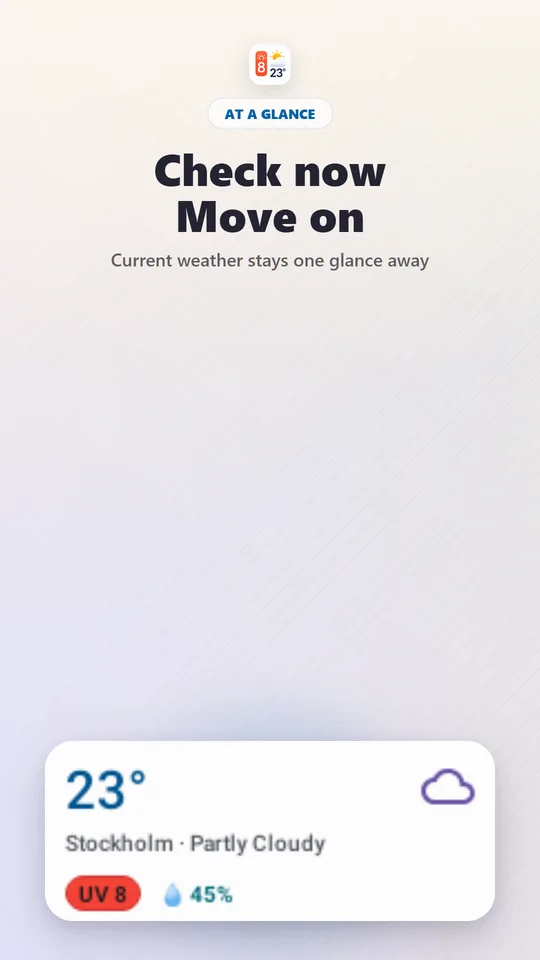
Weather Widget & UV Index can send optional UV reminders at three fixed times: 08:00, 12:00 and 16:00. You choose which ones to enable, and whether each notification includes the current weather and the upcoming UV. Reminders are off until you turn them on, and you can switch them off at any time.
What each reminder is for
| Time | Decision it supports |
|---|---|
| 08:00 | Plan the day: sunscreen before leaving, hat and sunglasses in the bag, which outdoor tasks to move earlier. |
| 12:00 | The midday check: UV is usually near its daily peak. Decide whether lunch, sport or errands happen in the shade — and reapply sunscreen if you have been outside. |
| 16:00 | After-school and after-work plans: UV often drops into the low range by now in spring and autumn, but can stay moderate or high in summer. |
Which reminders do you need?
- Office worker with a lunchtime walk: 12:00 only.
- Parent with school runs and afternoon playgrounds: 08:00 and 16:00.
- Outdoor worker, gardener or runner: all three during spring and summer.
- Winter months: consider turning them off unless you ski or spend time at altitude, where snow and thinner air raise UV.
Fewer, well-timed reminders get read; three notifications a day that never change your plans get ignored.
Turn the notification into an action
- Read the UV value for the next window, not just the current one.
- If it is 3 or higher, use combined protection: shade, clothing, hat, sunglasses, broad-spectrum sunscreen.
- If you have already been outside for a while, reapply sunscreen — typically every two hours and after swimming or sweating.
- If it is 8 or higher, shorten time in direct sun around midday.
Include current weather in reminders if you also use the 08:00 notification to decide what to wear. If you only care about sun protection, a UV-only reminder is shorter and easier to act on.
Pair reminders with a widget
Reminders catch the key moments; a UV widget covers everything in between. With the widget on your home screen, every unlock shows the three upcoming UV windows.
Limits
Forecast UV is an estimate. Local conditions such as reflection from water, sand or snow can raise exposure, and cached readings can be delayed. People with photosensitive conditions or on photosensitising medication should follow their clinician's advice.
Frequently asked questions
When are the UV reminders sent?
At 08:00, 12:00 and 16:00, local time. Each reminder is optional, so you can enable only the times that match your day.
Can UV reminders include the current weather?
Yes. You can choose whether reminders include the current weather and the upcoming UV, or keep them focused on UV.
Why is noon the most important UV check?
UV is strongest when the sun is highest, which is around solar noon. The midday reminder lands close to the daily peak, when protection matters most.
Sources and further reading
How this article was created
This article was drafted with the help of artificial intelligence and edited against the app's published feature list. The independent developer is responsible for publication and accepts correction reports. Verify health, safety, legal, financial and official requirements with a primary source or qualified professional.
Questions and corrections: brightwaveapp@gmail.com. Legal and privacy information.